
How do I help a patient who cannot sign in?
The portal never says which part failed. A wrong code and a wrong date of birth get the same reply.
They are using the sign-in page
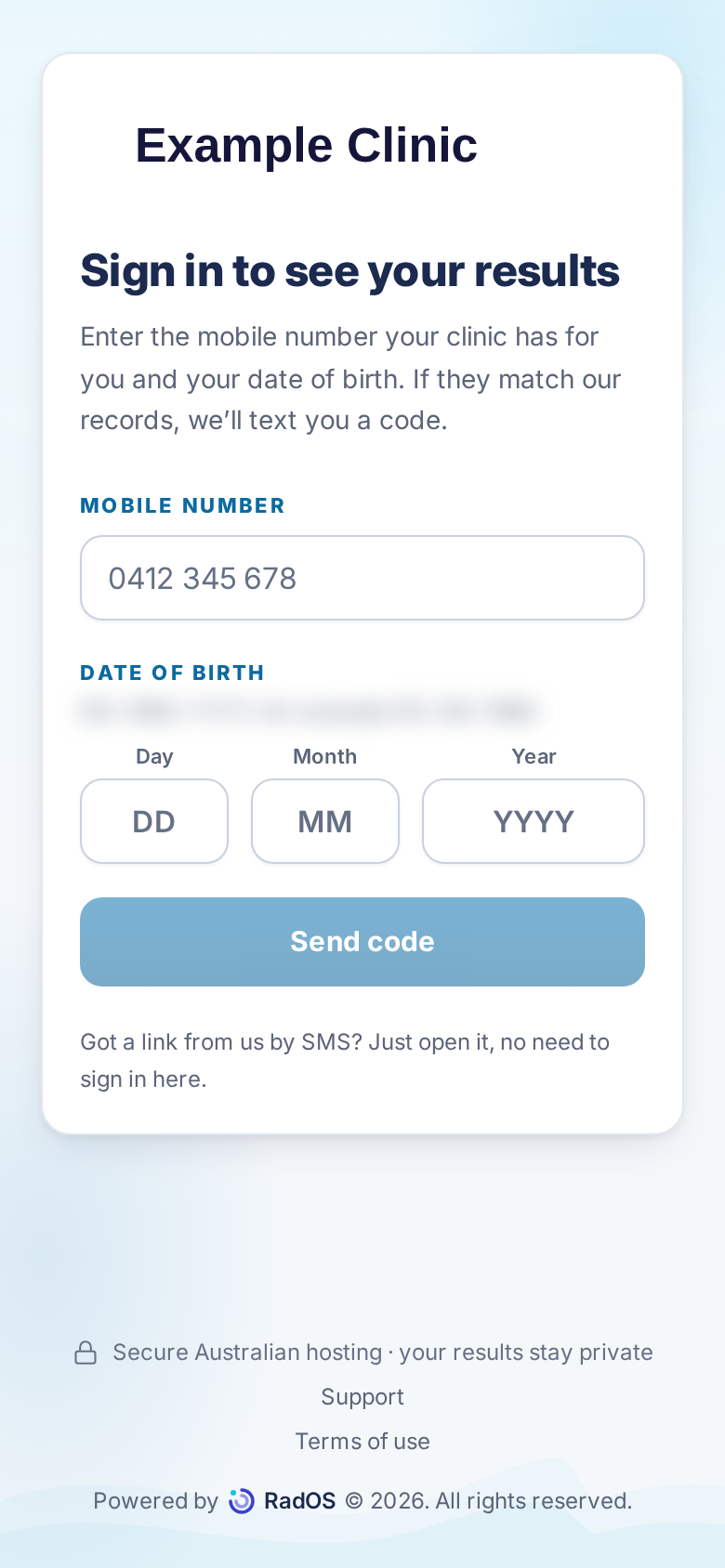
- They enter the mobile on their record and their date of birth as day, month, and year, then Send code. A properly formed mobile and date always continues to the code step. The page does not say whether the record matched. Reaching the code step does not mean a text was sent.
- A code is sent only when the mobile and date of birth match, the number is a valid Australian mobile, the number has not opted out, and SMS is allowed. At most one code a minute, and five an hour. Each code lasts 10 minutes and allows five attempts.
- On the code step they enter the code and the date of birth is checked again. Five wrong codes, or a wrong date of birth, lock that code. Ask them to wait a full minute, then request a new code. Send a new code appears after 30 seconds, but a second code inside 60 seconds is still dropped.
- If the mobile on the patient record is missing or does not match what you have verified, correct it in Karisma. Do not send a code to a number they read out.
- If the date of birth in Karisma is wrong, correct it there after you verify identity, wait until the portal record shows the new date, then ask them to start again. Do not keep retrying the old date. This console cannot edit the date.
Their link has expired or locked
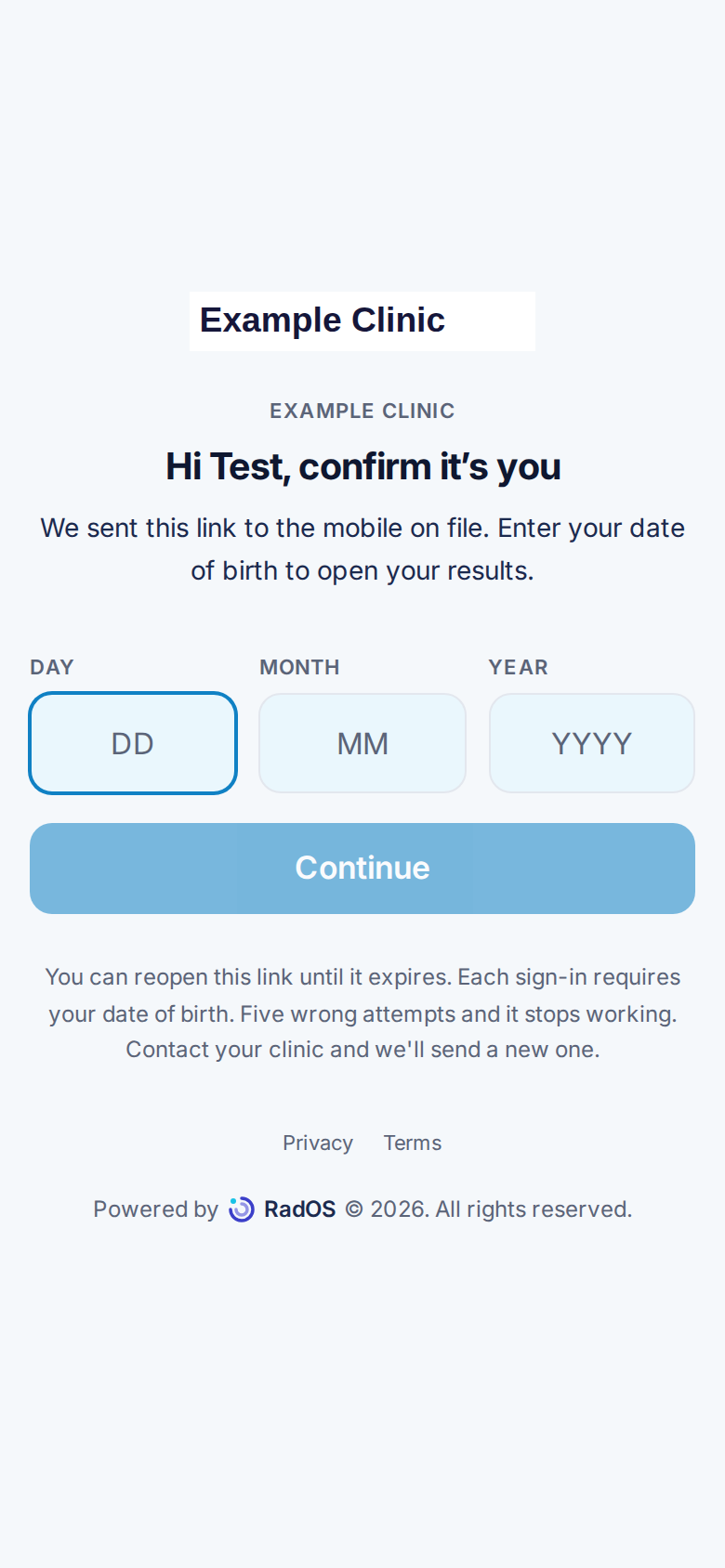
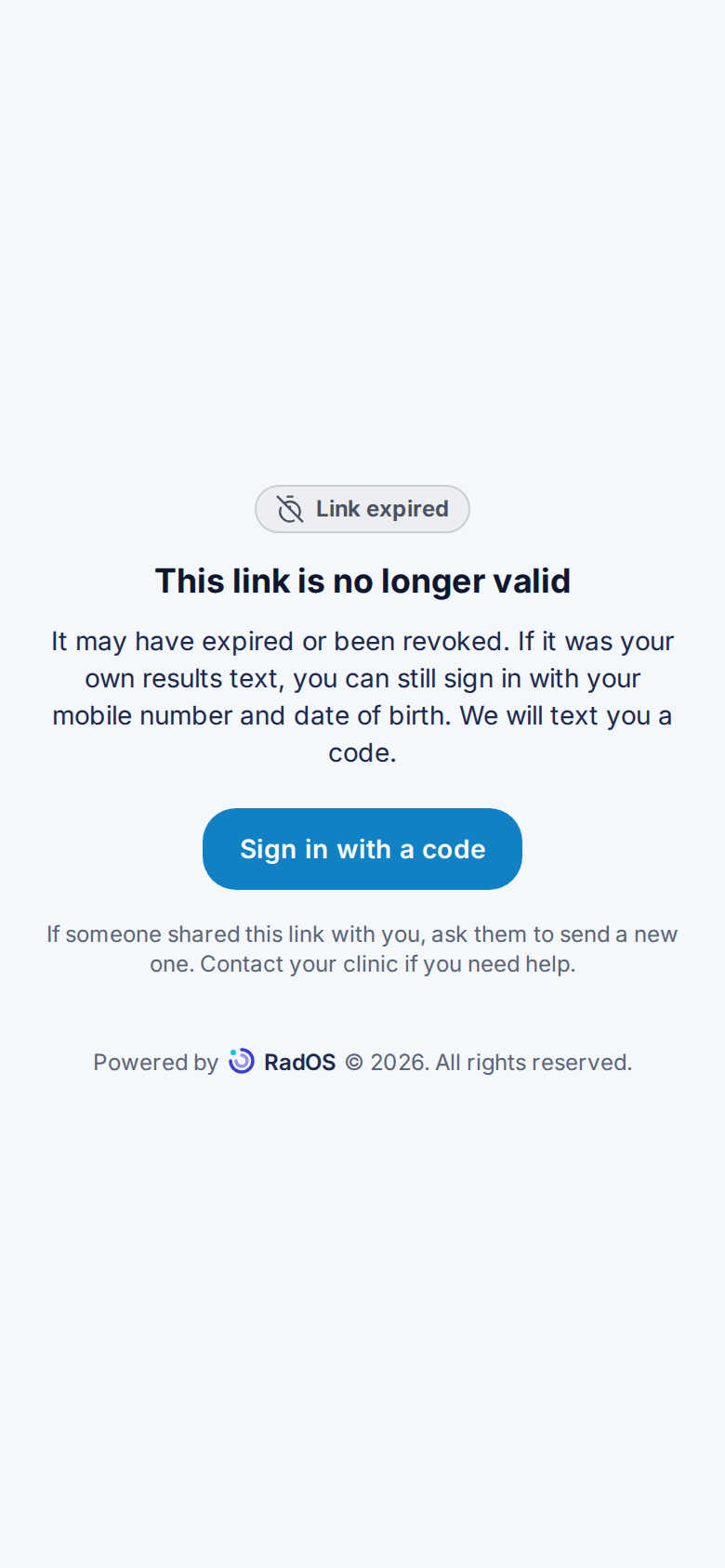
- A staff link lasts 1 hour. Five wrong date of birth attempts lock it. Issue another from Patient link. The old address will not recover.
- A link in an automatic results text usually lasts 7 days. After that, the page offers sign-in with a code.
- You cannot see or read out a code. It is not stored on the study.
They are on the terms step
After a successful sign-in, someone who has not accepted the current terms sees this screen before any results. Accepting is not tied to scrolling. Declining signs them out.
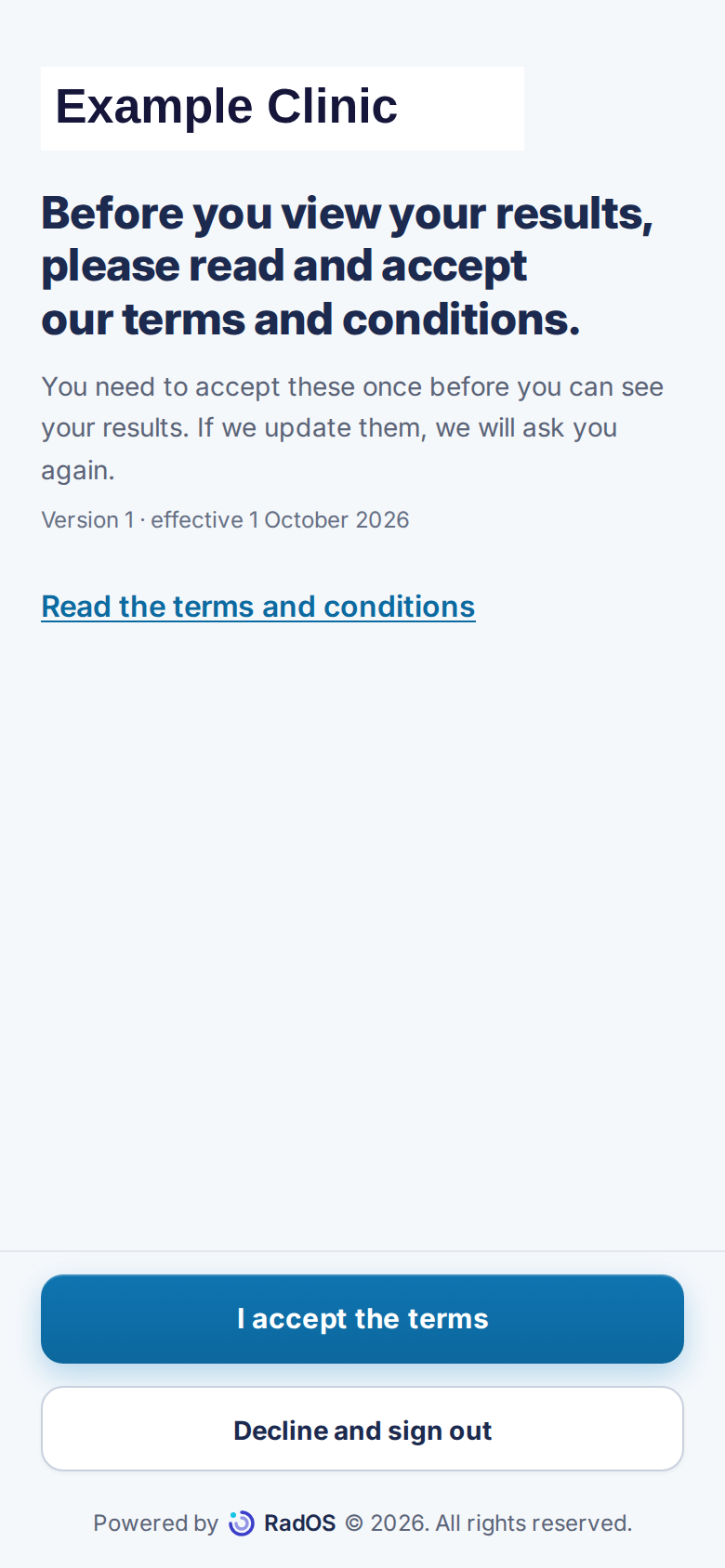
- Ask them to choose Read the terms and conditions if they want the full text. Back to accept the terms returns to this screen.
- They choose I accept the terms. Results open after that is saved. If the terms are updated later, they are asked again.
- Decline and sign out signs them out. They cannot see results until they accept.
- If the screen says the terms could not be loaded or the acceptance could not be saved, ask them to try again. Do not try to skip the step from the console. There is no staff bypass.